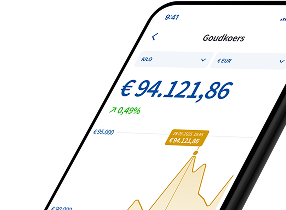
You can sell gold, silver, platinum or palladium from your precious metals account through the Holland Gold app or via your customer portal. You can enter sell orders 24/7, including in the evening and at weekends.
After the sale, the amount is usually credited to your bank account within one business day, provided that your proof of identity and bank account are known to us and have been verified.
How do I sell precious metals through the app?
You can sell precious metals through the app in two ways:
- Via the price menu: open the app and click on the precious metal you want to sell in the price overview. You will then see the price of the selected precious metal and can choose ‘Sell’.
- Via your vault overview: open the app and go to your vault, where your position on the precious metals account is shown. Select the precious metal you want and click ‘Sell’.
You then choose the weight or amount you want to sell. After that, you confirm the sale.
How do I sell precious metals from my customer account on a PC or laptop?
You can sell precious metals from your precious metals account through your customer portal in two ways:
- Via ‘My portfolio’: log in to your account and go to ‘My portfolio’. Here you will see your total position and, below that, your position on your precious metals account. For each precious metal, you can immediately choose ‘Buy’ or ‘Sell’.
- Via ‘Buy/Sell Precious Metals Account’: log in to your account and go to ‘Buy/Sell Precious Metals Account’. Here you will only see your position on your precious metals account. For each precious metal, you can immediately choose ‘Buy’ or ‘Sell’.
Did it work? Let us know!