English
EN


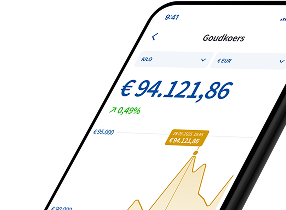
You can buy precious metals through the precious metals account via the Holland Gold app, by logging in on the website or through our webshop. This allows you to buy physical gold, silver, platinum or palladium by the gram, stored safely and insured in Switzerland.
Via the website: log in to your account and go to ‘Buy/Sell Precious Metals Account’. Then choose which precious metal you want to buy and confirm the purchase.
Via the app: tap the blue round button with the two arrows at the bottom of the screen and then tap ‘Buy’. You can also go to ‘Prices’, select gold, silver, platinum or palladium and then tap ‘Buy’. You choose the amount or weight yourself, starting from € 10. After confirmation, the purchased precious metal is added to your precious metals account.
Via the webshop: in the webshop, you can buy each precious metal for your precious metals account from € 10. Already have a Holland Gold account? Log in to your account during checkout. After completing your order, the purchased precious metal is credited to your precious metals account.
Do you not yet have a Holland Gold account? After placing your order, you can create and verify an account. After verification, you will receive a precious metals account to which your order will be credited. You can also sell the precious metal again later from your precious metals account.